

ATI Flash is AMD’s command-line tool for flashing BIOS firmware on Radeon graphics cards, and honestly, it’s one of those utilities you hope you never need—but you’re glad exists when you do. Whether you’re tweaking voltage settings to squeeze out better mining efficiency, fixing a bricked card after a bad flash, or updating an older GPU to support newer drivers, this little program gets the job done. It’s mostly used by overclockers, modders, and folks running multi-GPU rigs who need precise control over their hardware. Just a heads-up: always back up your original BIOS first, because there’s no undo button here.
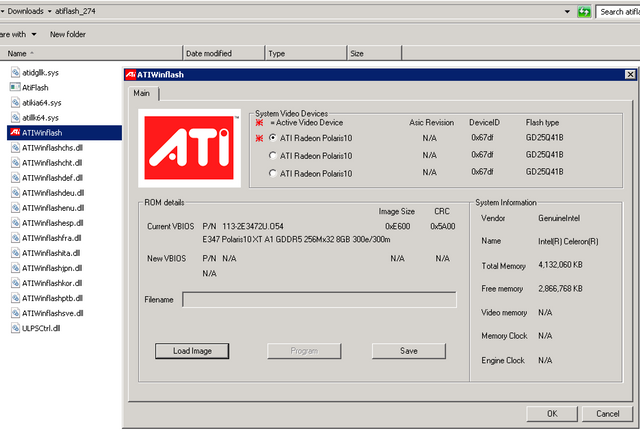
| What is it? | AMD’s command line BIOS flasher for Radeon cards. No fancy GUI, just type commands and pray nothing goes wrong. |
| Who needs this | Mostly miners, overclockers, and people trying to un-brick their GPU after doing something dumb at 2am |
| Cost | Free from AMD |
| Works with | Windows (needs admin), older versions work in DOS. Pretty much any Radeon HD and newer |
| Backup command | atiflash -s 0 original.romThe “0” is your GPU number. If you have multiple cards, they’re numbered 0, 1, 2, etc. |
| Flash command | atiflash -p 0 modded.romTakes like 15-20 seconds. Don’t touch anything! |
| See all your cards | atiflash -iShows device IDs and what’s detected |
| Force flash (dangerous) | atiflash -f -p 0 bios.romOnly use this if you know what you’re doing. Skips safety checks. |
| Why use it? | • Better mining performance (memory timing mods) • Undervolting to save power • Fixing compatibility issues • Recovering from bad flashes |
| Before you start | BACKUP YOUR ORIGINAL BIOS FIRST. Seriously. Save it in like 3 different places. Cloud, USB drive, whatever. You’ll thank me later. |
| Things that can go wrong | Power outage mid-flash = bricked card. Wrong BIOS file = bricked card. Basically don’t flash during a thunderstorm and double-check your files. |
| Warranty? | Yeah, you’re voiding it. Most manufacturers check for modded BIOS when you RMA. |
| My #1 tip | If your card has a dual BIOS switch, only mod one side. That way you have a backup if things go sideways. |
| Getting BIOS files | TechPowerUp has a huge database. Make sure the device ID matches your card EXACTLY or you’re gonna have a bad time. |